
AV Controls on Your Cisco Navigator

For too long, teams who rely on Cisco Navigators have had to choose between confusing users with a second touch panel or confusing them with a disorienting application switch.
We Fixed This.
PepperDash developed an HTML5 web app that runs on the Navigator, and matches the native experience.
No secondary touch panel.
No confusing app switch.
HTML5 Web App
Expand the Capabilities of Your Cisco Navigator from RoomOS or MTR Environments

The Navigator Problem
The Cisco Navigator has become a popular solution for controlling conference calls. Though the Navigator provides a good experience when it comes to controlling calls, it does not provide all of the AV controls that users need to operate the room.

Multiple Touch Panels
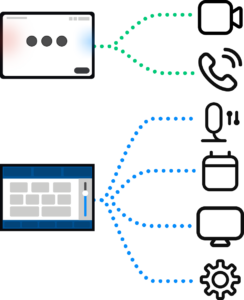
Some organizations try to solve this issue by using two touch panels—one for call controls and another for AV controls. This approach fails because users neither understand nor anticipate the need for multiple panels, leading to confusion and frustration.
Application Switching
Other organizations require users to switch between the native app, and a completely different web app on the Navigator. While this eliminates the need for a second panel, the discontinuity that results from the app switch disorients and frustrates users.


Unified Experience
PepperDash used Cisco’s open-source Momentum UI Kit to create a seamless, unified experience. We integrate with the native UI to call contextual controls so users don’t even notice they are switching between applications. This expands the capabilities of the Navigator, eliminates the need for a second touch panel, and reduces frustration.

Download this document here, or get in touch using the form below: